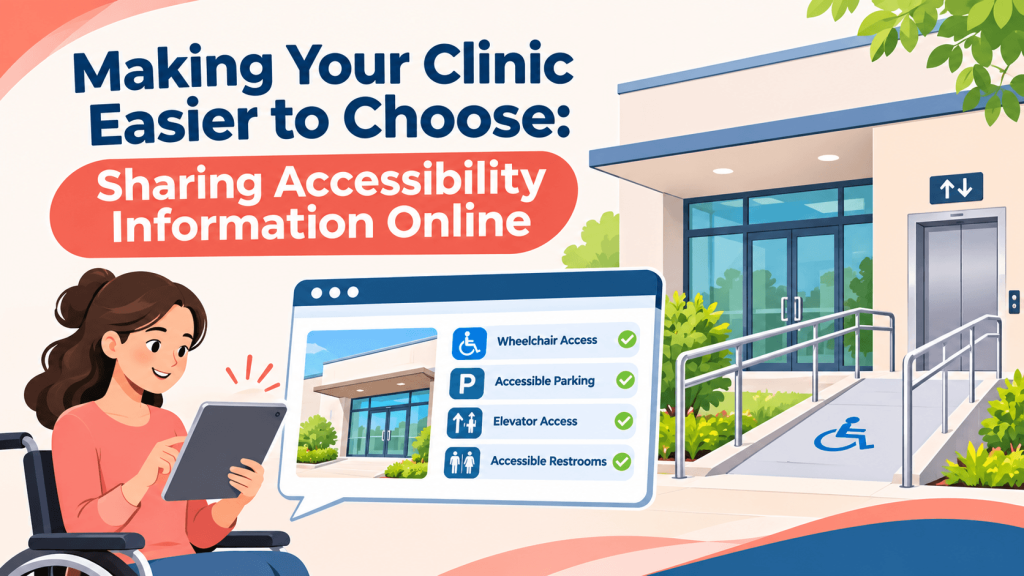
A physical therapy patient in Tucson uses a wheelchair after knee surgery. Before booking, her daughter checks whether the clinic has accessible parking, a step-free entrance, and an accessible restroom. The clinic’s website doesn’t say, and its Google profile shows no accessibility details. They book with a practice that answers those questions up front.
For health and medical practices, accessibility information isn’t a minor detail. For many patients, it decides whether a visit is possible at all.
What Patients Need to Know Before They Arrive
Patients and caregivers often look for:
- Accessible parking and drop-off areas
- Step-free entrances, ramps, and elevators
- Accessible restrooms and exam rooms
- Sign language interpreters or other communication support
- Telehealth options for patients who can’t easily travel
Publishing these details answers questions before they become phone calls, and it shows patients you’ve thought about their needs.
Where to Share Accessibility Information
Start with your Google Business Profile, which includes accessibility attributes such as wheelchair-accessible entrance, parking, and restroom. Add only the attributes that accurately describe your facility.
On your website, create a short accessibility section describing your building and services in plain language. The website itself should be usable too, with readable text, descriptive image alt text, and forms that work with screen readers. The Web Content Accessibility Guidelines, known as WCAG, are a widely used reference for this work.
Keep Every Listing Accurate and Complete
Accessibility details are only useful when they’re correct everywhere. If your practice moves, renovates, or changes entrances during construction, update your website, profiles, and listings promptly.
Brief your front desk staff as well, so phone answers match what’s online. If your website says the side entrance has a ramp, staff should give callers the same directions and mention any temporary changes, such as a closed elevator.
Directories can help patients compare options. A general directory such as E-List Your Business gives patients another place to confirm your address, hours, and contact information, and its Health and Medical category groups clinics, therapists, and medical providers in one place. Use the description field to mention key accessibility features when a listing has no dedicated options.
Answer the Question Before It’s Asked
Patients shouldn’t have to call just to learn whether they can get through your door. Share accurate accessibility details on your profile, website, and listings like E-List Your Business, and keep them current as your space changes. It’s a simple step that makes care easier to reach.
Frequently Asked Questions
Are clinics legally required to have accessible websites?
The Americans with Disabilities Act applies to many healthcare providers, and the Department of Justice has said businesses open to the public should make their websites accessible. Providers receiving federal health funding may face additional requirements. Obligations vary, so consult a qualified attorney or accessibility professional, and use WCAG as a practical starting point.
What if our building isn’t fully accessible?
Be honest about what’s available and what isn’t. Describe specific features, such as a side entrance with a ramp or an elevator to the second floor, and note any limitations. Clear information helps patients plan and is far better than someone discovering a barrier on arrival. Mention alternatives, such as telehealth, when appropriate.
Should we list interpreter services online?
Yes, if you offer them. Many patients and caregivers look for sign language interpreters or language assistance before booking. Explain how to request these services and how much notice is needed. Clear instructions reduce stress for patients and help your staff prepare for appointments.
How often should we review accessibility information?
Review it whenever your facility changes, such as during renovations or a move, and at least once a year otherwise. Check your Google Business Profile attributes, website, and directory listings together so they stay consistent. Ask front desk staff which accessibility questions patients ask most, and update your information to answer them.

Practical advice for local business owners from the team behind E-List Your Business.